What to look for in a Mac to-do app
1. Capturing a to-do should take seconds
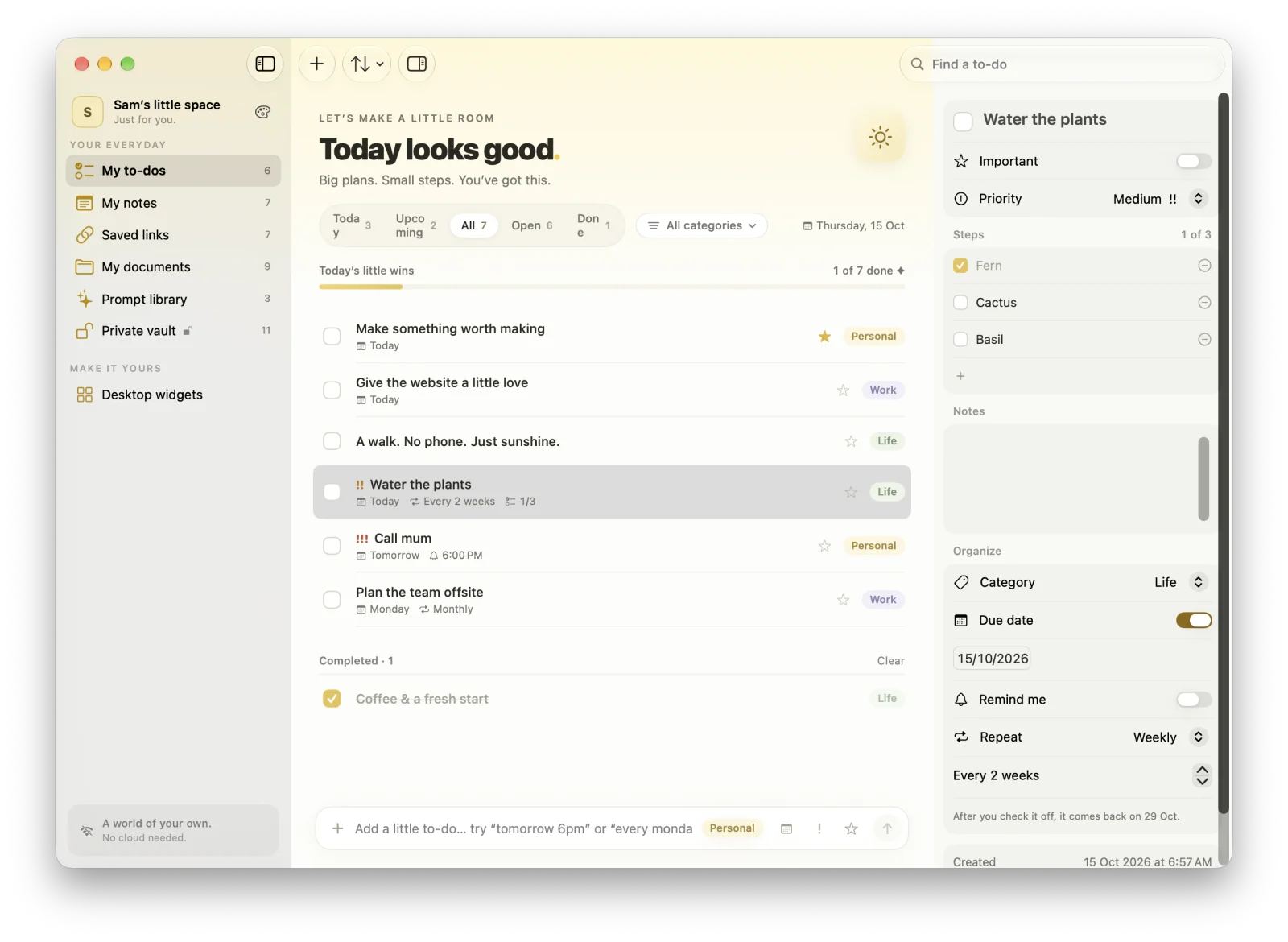
If adding a to-do means opening an app and fiddling with date pickers, you’ll stop doing it. Look for a system-wide shortcut that works over any app, and natural-language input that understands phrases like “tomorrow 6pm” or “every monday”.
In MacTodo: Press ⌃⌥Space anywhere for a quick-add panel, and type “Pay rent monthly !! #Work” to set the repeat, priority, and category in one line.
2. Your list should stay in sight
Out of sight is out of mind. Since macOS Sonoma, widgets can sit right on the desktop, and a menu bar list keeps today one click away.
In MacTodo: Twelve desktop widgets, including one where you check off to-dos right on the desktop, plus a menu bar window with today’s list and a quick-add field.
3. Reminders and repeats you can trust
A to-do app is only as good as its reminders. Look for native notifications you can act on, and repeats that cover real life: weekdays, every two weeks, once a year.
In MacTodo: Native macOS notifications with Mark as Done and Remind Me in 1 Hour, and repeats for daily, weekdays, weekly, monthly, yearly, or every few days or weeks.
4. It should feel like a Mac app
Keyboard shortcuts, Shortcuts and Siri, Spotlight, dark mode, and VoiceOver are what make an app feel at home on macOS rather than a website in a window.
In MacTodo: A native SwiftUI app with ⌘K search, ⌘1–⌘7 navigation, full undo, Shortcuts and Siri actions, Spotlight, VoiceOver labels, and eight themes in light and dark.
5. Know where your data lives
Cloud sync is handy across devices, but it means an account and your list on someone else’s server. Local-only apps keep everything on your computer and work without an internet connection.
In MacTodo: No account and no cloud. MacTodo is sandboxed without network access, so it never goes online, and backups are files you own.
6. Price
Mac to-do apps range from free, to one-time purchases, to monthly subscriptions. Decide what the features you need are worth to you.
In MacTodo: Free. MacTodo 1.0.0 is free to download, with no subscription and no ads.
When another app may suit you better
No app is right for everyone, and MacTodo makes some deliberate trade-offs, the biggest being that it never syncs.
| If… | Consider |
|---|---|
| You need your list on iPhone, iPad, Windows, or the web | Choose an app that syncs. Apple Reminders comes with every Mac and syncs through iCloud, and cross-platform apps such as Todoist and TickTick sync through their own accounts. |
| You plan projects with a team | Shared lists, assignments, and comments are better served by collaborative task managers. |
| You run a detailed GTD system | Dedicated planners such as Things and OmniFocus offer deeper project and area structures. |
Is MacTodo the right to-do app for you?
MacTodo is for you if you work on a Mac, want a quick and pretty to-do list you can see on your desktop, and like the idea that your notes, links, documents, and passwords live in the same calm app, never leaving your computer.
Take a closer look at each part of the app:
- To-do list · To-Do List App for Mac with Reminders, Repeats & Widgets
- Sticky notes · Sticky Notes App for Mac with Markdown & Checklists
- Saved links · Bookmark & Link Manager for Mac with Nested Tags
- Documents · Document Organizer for Mac: Folders, Tags & Quick Look
- Prompt library · AI Prompt Library for Mac: Save & Reuse ChatGPT Prompts
- Private vault · Private Vault for Mac: Encrypted Passwords, 2FA & Photos
- Desktop widgets · To-Do Widgets for Your Mac Desktop: 12 Free Widgets