A prompt library for Mac, so good prompts never get lost.
If you use AI tools every day, you probably rewrite the same prompts again and again. MacTodo keeps your best ones organized, searchable, and one click from your clipboard.
Version 1.0.0macOS 14 Sonoma or laterApple silicon & IntelHow to install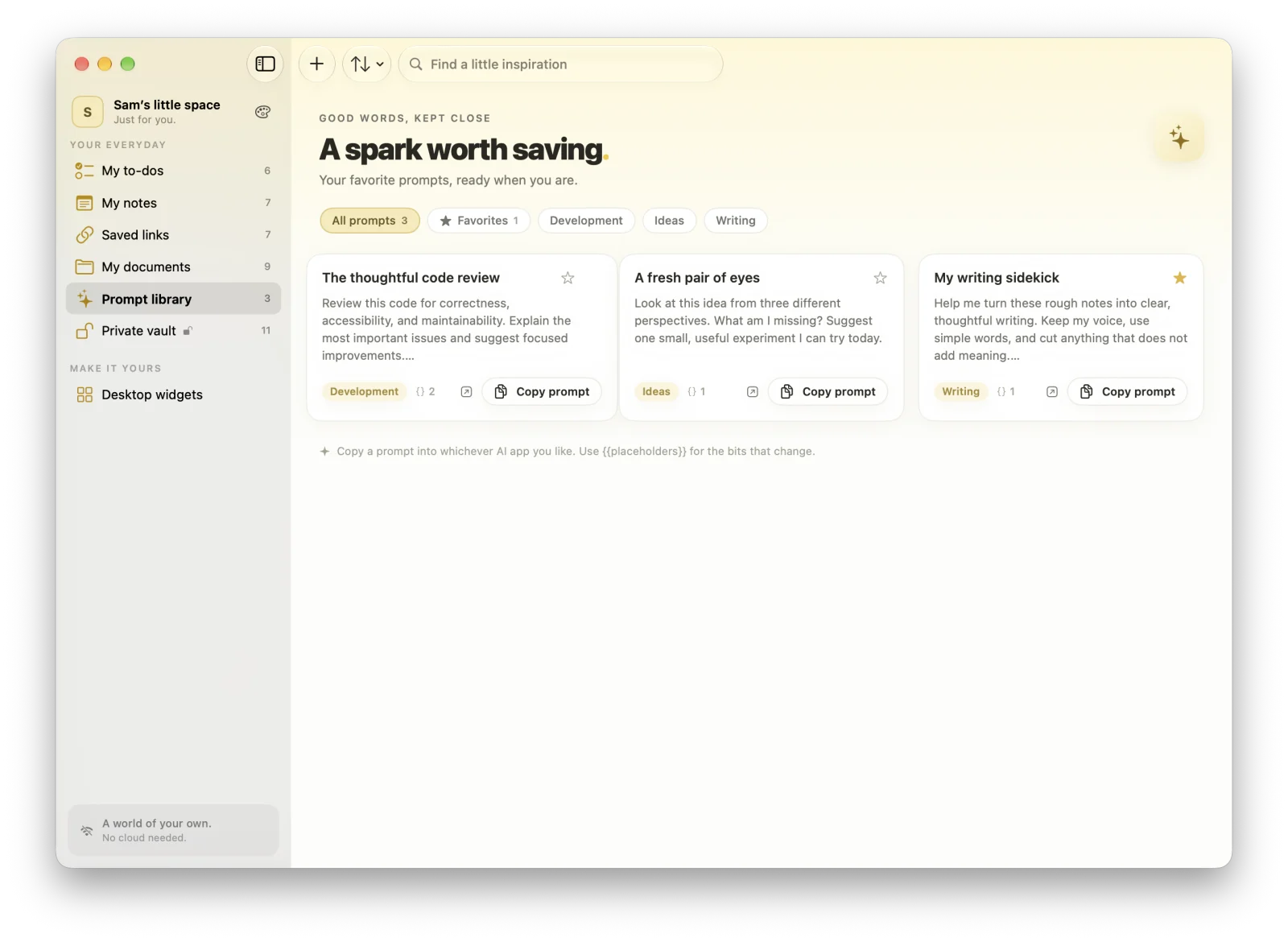
Highlights
- Favorites, tags, search, and usage counts
- Fill-in sheets for {{placeholders}}, with a live preview
- Open in ChatGPT, Claude, Perplexity, or Gemini
- Share prompt packs as JSON, or import a CSV list
Copy in one click
Every prompt card has a Copy prompt button. Favorites, tags, search, and usage counts bring the prompts you reach for most to the top.
Templates with {{placeholders}}
Write the parts that change as {{placeholders}}. When you copy, MacTodo opens a fill-in sheet with a live preview, so the finished prompt is ready to paste.
Open in your favorite AI app
Send a prompt straight to ChatGPT, Claude, Perplexity, or Gemini. Because prompts copy to the clipboard, they work with any other assistant, too.
Share and import prompt packs
Export all prompts, your favorites, a tag, or a single prompt as a JSON prompt pack. Import packs from friends, or bring in a CSV list with title and prompt columns. There’s a Copy Prompt action for Shortcuts and Siri.
Which AI tools does the prompt library work with?
All of them, because prompts copy to your clipboard. There are also Open in shortcuts for ChatGPT, Claude, Perplexity, and Gemini.
Can I import prompts from a spreadsheet?
Yes. Import a CSV file with title and prompt columns, or a JSON prompt pack exported from MacTodo.
A little more organized.
A whole lot more at home.
Make room for your ideas, your plans, and your next little win.
Download for MacVersion 1.0.0macOS 14 Sonoma or laterApple silicon & IntelHow to install